Still insanely busy here, and running constantly. Today’s adventure included the dentist – a 28 year old filling gave way, and can I just say, ow!!!
I got a couple of new photography books to play with yesterday, along with a gray card. Which will mean nothing to some of you, but has made my day! And the class won’t even be covering them for another two weeks, but I love it already! It makes a tremendous difference in photos. Yay! More photography fun for me.
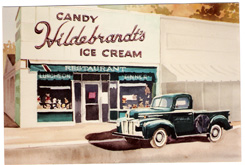
No new photos to post, because everything I’ve been taking lately is my kids. I just played with one from the beach the other day and processed it to give it a more vintage, summery look.
Which brings me to a question – does anyone know how to disable the copy and save on photographs on blogger? I figured that if I turn that off, no one can copy the kids’ photos on me, and I can post them again. I’d appreciate it if someone has an answer on this.
Have a great weekend!
Best,
Stephanie
UPDATE: I'm answering Julie’s comment here in case anyone else has the same question. A gray card has a few uses, but I am using it to set a custom white balance. To over-simplify it, all this means is, your camera is looking for a certain shade of gray to determine how to correctly expose and balance your photo. The gray card gives you the right shade so the camera can figure out how to process the photo the right way. Not as big of a deal in landscapes, but I did notice even my tricky dining room wall which is green but often photographs gray came out just right. And the difference with skin tone is great. In just a few seconds you get a much better color in your photos.


%5B9%5D.jpg "2009 (2)")